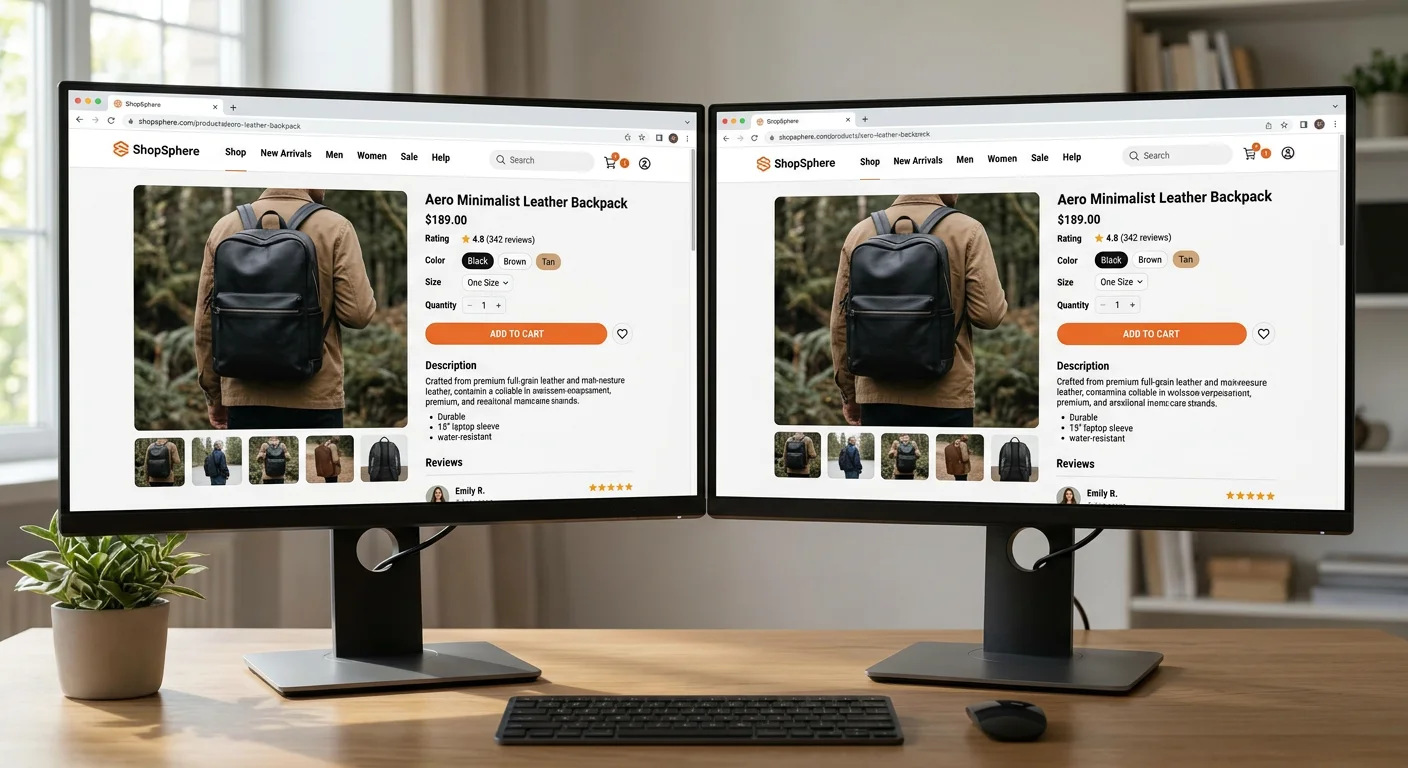
Imagine two websites. Same industry, same city, same target audience. They look almost identical — nice images, clear headings, professional feel. Yet one site gets 10 visitors per day while the other gets 1,000.
How is that possible? The answer isn't in what you see — but in what you don't see. Beneath the surface, in the code, in the server's response headers and in the hundreds of technical signals that Google evaluates with every search.
This article shows exactly which technical factors separate a website that's visible from one that isn't. No fluff — just the checkpoints that actually affect your ranking.
Same surface, completely different technology
Both sites above look professional. But a technical audit reveals major differences. Here are the 10 checkpoints where Website A fails — and Website B delivers.
10 technical checkpoints
| Checkpoint | Website A | Website B |
|---|---|---|
| Loading speed (LCP) | 6.2 s | 1.1 s |
| Structured data (JSON-LD) | Missing | Implemented |
| Meta-title & meta-description | Generic | Unique per page |
| HTTPS & security headers | HTTPS only | Complete |
| Content Security Policy | Missing | Strict CSP |
| Canonical URLs | Missing | All pages |
| Open Graph & Twitter Cards | Missing | Complete |
| Core Web Vitals (CLS) | 0.38 | 0.02 |
| Image optimization | Not optimized | WebP + lazy load |
| Robots.txt & XML sitemap | Missing | Properly configured |
Each row in the table above represents an invisible quality signal that Google uses to determine which site deserves a top position. Let's go through them one by one.
Deep dive: each checkpoint explained
1. Loading speed (Largest Contentful Paint)
LCP measures how long it takes for the largest visible element — often a hero image or heading — to finish loading. Google wants to see an LCP under 2.5 seconds. Website A reaches 6.2 seconds due to unoptimized images and a slow server. Website B uses modern image formats (WebP), lazy loading and a fast hosting environment to reach 1.1 seconds. The difference is enormous — both for the visitor and for Google.
2. Structured data (JSON-LD)
Structured data is code that helps Google understand what your page is about — not just that it contains text. With JSON-LD you can tell Google that your page is an article, a product, an event or a business. Website B has complete Organization, WebSite and BlogPosting schema, which gives it rich search results (rich snippets) and higher click-through rates.
3. Meta-title and meta-description
The meta title is the blue link in Google's search results. The meta description is the text below it. Website A has the same generic title on all pages — "Welcome to our website". Website B has unique, keyword-optimized titles and descriptions for each individual page. It's one of the most basic SEO measures, but surprisingly many miss it.
4. HTTPS and security headers
HTTPS has been a minimum requirement since 2018. But it's not enough on its own. Website B also sends security headers like Strict-Transport-Security, X-Content-Type-Options and X-Frame-Options. These signal to both Google and visitors that the site takes security seriously. A more secure site is a more trustworthy site — and trustworthiness affects ranking.
5. Content Security Policy (CSP)
A Content Security Policy tells the browser exactly which resources are allowed to load — which scripts, stylesheets and images are permitted. It protects against XSS attacks and other malicious code. Website A lacks CSP entirely, while Website B has a strict policy that prevents unauthorized scripts. Google values website security, and CSP is a clear indicator.
6. Canonical URLs
Without canonical URLs, you risk Google indexing the same content via multiple addresses — with and without www, with and without trailing slashes, with query parameters. This creates duplicate content, which confuses search engines and dilutes your ranking power. Website B has a <link rel="canonical"> element on every page pointing Google to the correct version.
7. Open Graph and Twitter Cards
These meta tags control how your page looks when someone shares it on Facebook, LinkedIn or X (Twitter). Without them, the platforms choose themselves — often with poor results. Website B has correct og:title, og:description, og:image and Twitter Card tags, which gives professional sharing previews that drive traffic back to the site.
8. Core Web Vitals (CLS)
CLS (Cumulative Layout Shift) measures how much the page layout "jumps" while loading. You've surely experienced it — you're about to click a button and suddenly everything moves. Website A has a CLS value of 0.38 (poor). Website B is at 0.02 (excellent) thanks to correctly specified image dimensions, reserved space for ads and a stable layout from the very first render.
9. Image optimization
Images often account for 60–80% of a page's total size. Website A loads uncompressed JPEG images of 3–5 MB each. Website B converts all images to WebP format, uses loading="lazy" for images below the fold, and specifies exact width/height attributes. The result: faster pages, lower bandwidth costs and better ranking.
10. Robots.txt and XML sitemap
A correct robots.txt tells search engines which pages to index and which to skip. An XML sitemap gives Google a complete map of your site. Website A lacks both — Google has to try to find all pages on its own, and often misses parts. Website B has a dynamic sitemap that updates automatically with every new post, and a robots.txt that points to it.
Summary
"A beautiful website without technical quality is like a store with a fantastic shop window — on a street nobody can find."
Design is important. But design without a technical foundation is like building a house without a frame. The 10 checkpoints above are not advanced or secret — they are industry standard. The difference is that most web agencies skip them because they take time, require knowledge and aren't visible on the surface.
At itrab, we build sites that look good and perform. Every project includes all the checkpoints above as standard — not as add-ons.